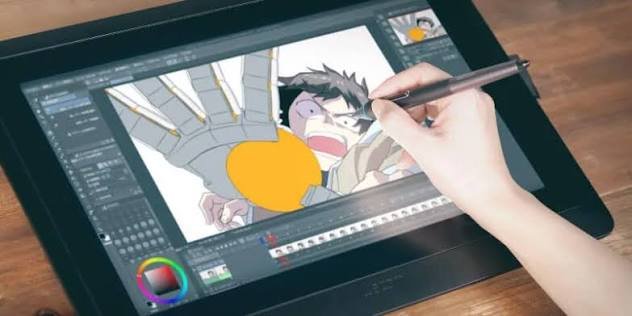
If you want to make cartoons, explainer videos, or short films, the right 2D animation software makes the work much easier. It lets you draw, move, and time characters on a screen, instead of drawing every frame on paper.
The best choice depends on your goal, budget, and skill level. A beginner making YouTube videos does not need the same tool as a studio making a TV show.
This guide compares free and paid options, explains how they work, and helps you pick one with confidence.
What Is 2D Animation Software?
2D animation software is a program that creates movement in flat, two-dimensional images. You draw characters and backgrounds, then control how they move over time.
There are two main methods. Frame-by-frame animation means you draw each pose by hand. It looks fluid, but it takes more time.
Rigged animation uses a digital puppet. You build a character once, add bones and controls, and then move its parts. This method is faster for series and explainer videos.
Most tools also use tweening. Tweening means the software fills in the frames between two poses you set. For example, you set a ball on the left, then on the right, and the tool animates the path between them.
A timeline is the control panel for timing. It shows frames in order, so you can set when a character moves, pauses, or speaks. A good timeline makes timing feel natural, not rushed or stiff.
How to Pick the Right 2D Animation Software for Your Goal
Start with your end goal, not with the most popular tool. Ask what you want to make in the next three months.
If you want short social videos, speed matters more than film-level detail. If you want a TV job, studio tools matter more, because studios expect those skills.
Next, check your budget honestly. Free tools can handle real projects. Paid tools often save time, but only if you use their advanced features.
Also check your computer and drawing style. Some tools work best with a drawing tablet. Others work well with a mouse and vector shapes.
Finally, think about learning time. A simple tool you finish learning in a week is often better than a powerful tool you abandon after a month.
Best Free 2D Animation Software
Free does not always mean weak. These five tools are used by beginners, students, and independent creators across the United States.
OpenToonz
OpenToonz is free and open-source. It is based on Toonz, software once used in professional animation production.
It is strong for traditional, frame-by-frame work. You can scan drawings, clean them up, and color them in the same program.
Its interface looks dated, and it takes time to learn. Still, it is a serious choice if you like hand-drawn animation.
Pencil2D
Pencil2D is one of the simplest free tools. It focuses on basic frame-by-frame drawing, with bitmap and vector layers.
Bitmap means your drawing is made of pixels, like a photo. Vector means it is made of smooth lines that stay sharp at any size.
It is best for beginners and quick tests. It is not built for long, complex series with many characters.
Krita
Krita is mainly a free digital painting program, but it also has a useful animation timeline. Many artists already use it for illustration.
You can paint detailed backgrounds and characters, then animate them frame by frame. Its brushes feel natural for hand-drawn styles.
It is a good pick if you already draw digitally and want to add motion without learning a new program from scratch.
Blender Grease Pencil
Blender is free and best known for 3D work. Its Grease Pencil tool lets you draw 2D animation inside a 3D space.
That sounds odd, but it is useful. You can move the camera around a 2D drawing, which gives a sense of depth.
It has a steep learning curve. It suits creators who also want to mix 2D characters with 3D scenes.
Synfig Studio
Synfig Studio is free and built for vector tweening. You draw a character once, then let the software create the in-between movement.
It also has a bone system for rigged characters. That helps you reuse one character across many scenes.
It can feel technical at first. It is best if you want smooth, cut-out style animation without drawing every frame.
Best Paid 2D Animation Software for Professionals
Paid tools usually offer better rigging, camera tools, and studio workflows. They make sense when animation is your job or a serious long-term hobby.
Toon Boom Harmony
Toon Boom Harmony is widely used in television animation in the United States and Canada. According to Toon Boom, it is built for both cut-out and traditional paperless animation.
It offers strong rigging, deformers, and camera controls. Deformers let you bend and squash a character smoothly, which is key for cartoon movement.
It is sold as a subscription, with an entry-level Essentials tier and a higher Premium tier. Prices can change, so check the official Toon Boom site before you buy.
Adobe Animate
Adobe Animate is popular for web animation, explainer videos, and interactive content. It works well with other Adobe tools like Photoshop and Illustrator.
It supports vector drawing, rigging, and lip-sync tools. Lip-sync means matching mouth shapes to spoken words.
According to Adobe’s US pricing, a single-app annual plan costs $22.99 per month. That is useful for creators who already work in the Adobe system.
TVPaint Animation
TVPaint Animation is made for traditional, hand-drawn animation. Many independent filmmakers and studios use it for a natural pencil-and-paper feel.
Its drawing engine is a major strength. Lines feel organic, and frame-by-frame work feels direct and fast.
It is sold as a one-time purchase, with a higher upfront cost than a monthly plan. It suits artists who value drawing quality over automated rigging.
Moho Pro
Moho Pro is known for powerful bone rigging and smart bone actions. Smart bones can control a character’s face, body, and perspective with fewer manual drawings.
It is a strong choice for YouTube series and explainer videos. One character rig can produce many episodes quickly.
According to its official store, Moho Pro costs $399.99 as a one-time purchase. That price can change, so confirm it before checkout.
2D Animation Software Comparison: Price, Skill Level, and Best Use
Use this table to narrow your shortlist fast. Price type matters as much as the first price you see.
| Tool | Price Type | Skill Level | Best Use |
|---|---|---|---|
| OpenToonz | Free | Intermediate | Hand-drawn films |
| Pencil2D | Free | Beginner | First animations |
| Krita | Free | Beginner to intermediate | Painted animation |
| Blender Grease Pencil | Free | Intermediate to advanced | Mixed 2D and 3D |
| Synfig Studio | Free | Intermediate | Vector tweening |
| Toon Boom Harmony | Subscription | Intermediate to advanced | TV and studio work |
| Adobe Animate | Subscription | Beginner to advanced | Web and explainer videos |
| TVPaint Animation | One-time purchase | Intermediate to advanced | Traditional drawing |
| Moho Pro | One-time purchase | Intermediate | Rigged series |
Now compare long-term cost with a simple example. Use this formula:
Yearly cost = monthly price × 12
For Adobe Animate, that is $22.99 × 12 = $275.88 per year. For Moho Pro, the one-time cost is $399.99.
Divide the one-time price by the monthly price to find the break-even point: $399.99 ÷ $22.99 = 17.4 months. After about 17 months, the one-time tool may cost less, if you keep using it.
Which 2D Animation Software Should You Start With?
If you have no budget and want to learn the basics, start with Pencil2D or Krita. Both let you finish a short clip in a weekend.
If you want a hand-drawn film look, try OpenToonz next. It is harder, but it teaches real timing and drawing discipline.
If you want to make a regular series, look at Moho Pro or Toon Boom Harmony. Rigging saves time once you have many episodes to produce.
If you already pay for Adobe tools, Adobe Animate is the easy next step. You can reuse art from Photoshop or Illustrator without extra file work.
Pick one tool and finish three short projects in it. That teaches you more than testing five tools for one day each.
Common Mistakes When Choosing 2D Animation Software
One common mistake is buying a pro tool before learning animation basics. Powerful features do not fix weak timing or unclear storytelling.
Another mistake is ignoring your computer. Some tools run fine on a basic laptop. Others need more memory and a better graphics card for smooth playback.
Many beginners also choose a tool for its popularity, not its style. A great rigging tool is a poor fit if you love loose, hand-drawn lines.
Finally, do not skip the free trial when one is offered. Test your own character, not just the demo file. That shows how the tool feels in real work.
FAQs About 2D Animation Software
What is the best 2D animation software for beginners?
Pencil2D and Krita are strong first choices. They are free, simple to start, and good for learning timing and frame-by-frame basics.
Is free 2D animation software good enough for YouTube?
Yes, for many channels it is. OpenToonz, Krita, and Moho-style rigging in free tools can produce clean, watchable videos if your story and timing are solid.
Do I need a drawing tablet for 2D animation software?
No, but it helps a lot for hand-drawn work. A tablet gives better line control than a mouse. For rigged vector animation, a mouse can work fine.
What is the difference between Toon Boom Harmony and Adobe Animate?
Toon Boom Harmony is built more for TV studio pipelines and complex rigs. Adobe Animate is built more for web, explainer, and interactive projects, and it fits the Adobe workflow.
Can I use 2D animation software on a low-end laptop?
Often yes, if you pick a light tool. Pencil2D and Krita usually run better on basic machines than Blender or heavy studio tools. Keep scenes short and test playback early.
Conclusion
The best 2D animation software is the one that fits your project, budget, and drawing style. Free tools like Pencil2D, Krita, and OpenToonz are enough to learn and publish real work.
Paid tools like Toon Boom Harmony, Adobe Animate, and Moho Pro save time when you make series or studio work. Their value comes from rigging, workflow, and speed, not from the price alone.
Compare long-term cost, test a trial with your own art, and check that your computer runs it smoothly. Then pick one tool and finish your first short animation this week.
Related Articles
VBox Software: A Complete Guide to Oracle VM VirtualBox
KAIYUN SPORTS: The Growing Influence of Online Sports Entertainment in Asia
How to Maintain Weight Loss After Wegovy: Tips and Strategies